
What a couple photo widget does
A couple photo widget is a small window on your Android home screen that shows the latest photo your partner sent you. There is no app to open and no feed to scroll. You unlock your phone, and their morning coffee, their commute, or their “wish you were here” is already waiting.
It works best for the small, ordinary pictures that rarely make it into a chat: the view from the office, the dog asleep on the sofa, the dinner you just made. Big news still belongs in a call. A couple photo widget covers the moments in between.
Check that it works on both phones
Many couple widget apps are built for iPhone first, so check the Google Play listing before you both commit. DuoFrame is available on Google Play for Android. You each need an Android phone and a DuoFrame account to send photos to each other.
If one of you uses an iPhone, look for an app whose store pages list both platforms, and confirm that the home screen widget is supported on each one.
Set up DuoFrame with your partner
Setup takes a few minutes. It is easiest when you sit together, but it works just as well over a video call.
- Both install DuoFrame from Google Play and sign in with Google, or sign up with your email and the code sent to your inbox.
- One of you invites the other by email or shares an invite link. The other accepts the invitation in the app.
- Each of you adds the DuoFrame widget: tap Add another widget in your DuoFrame profile, or touch and hold an empty spot on the home screen, tap Widgets, and drag DuoFrame onto the screen.
- Choose your partner as the one person the widget shows, so their photos always have their own spot.
- Resize the widget if your launcher allows it. It starts at 2 × 2 and can be made larger, so the photo and caption are easy to see.
- Send a test photo with a short caption and ask your partner to send one back.
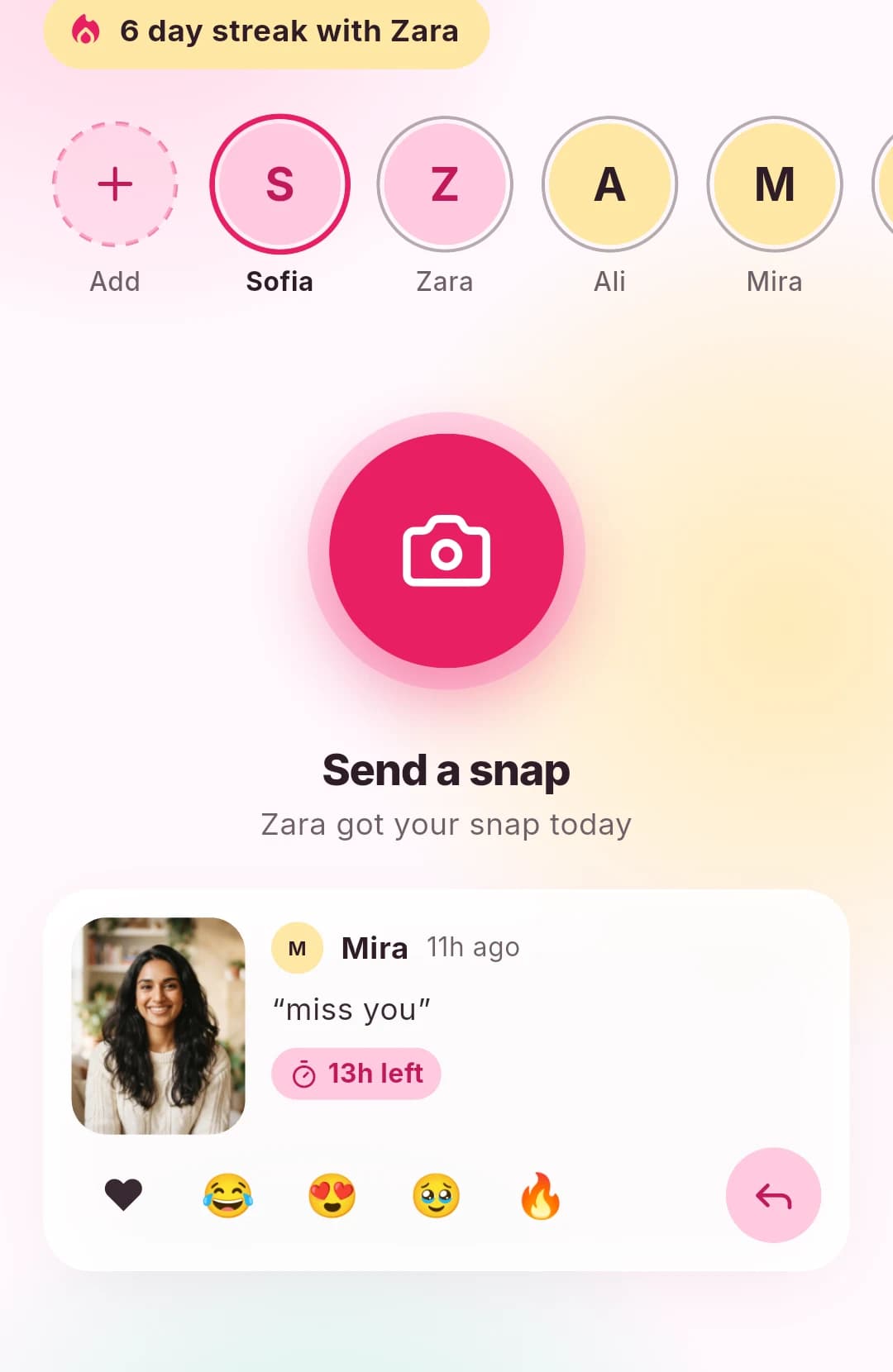
Where to put the widget
Put the widget on your first home screen page, close to the clock or the apps you use most. A widget tucked away on the third page is easy to forget. A bigger widget shows more of the photo and makes captions easier to read.
Tapping the widget opens DuoFrame, where you can see recent snaps and leave an emoji reaction. A reaction is a quick way to say “I saw it” when you do not have time to reply with a photo.
Simple ideas to send each other
You do not need a special occasion. These everyday photos work well on a couple photo widget:
- Your first coffee or tea of the day.
- The view from wherever you are working.
- Something they would love: a dog, a bookshop, a sunset.
- Dinner, even if it is just toast.
- A goodnight photo from your window.
Privacy between the two of you
DuoFrame is invite-only. Nobody can find your account by searching, and each photo goes only to the people you pick before you send it. If you also have friends on DuoFrame, check the recipients before sending something meant only for your partner.
Snaps expire 24 hours after they are sent. That keeps the widget fresh, but expiry does not stop a screenshot. Photos are re-encoded when they are uploaded, which removes hidden file details such as location data.
Keep the habit light
A couple photo widget should feel like a small hello, not a chore. A quiet day is fine. Agree on notification settings that suit both of your routines, and mute alerts when one of you needs to focus.
To try a couple photo widget on Android, install DuoFrame, invite your partner, and send your first photo today. If you live apart, our guide to photo sharing for long-distance couples has more ideas.